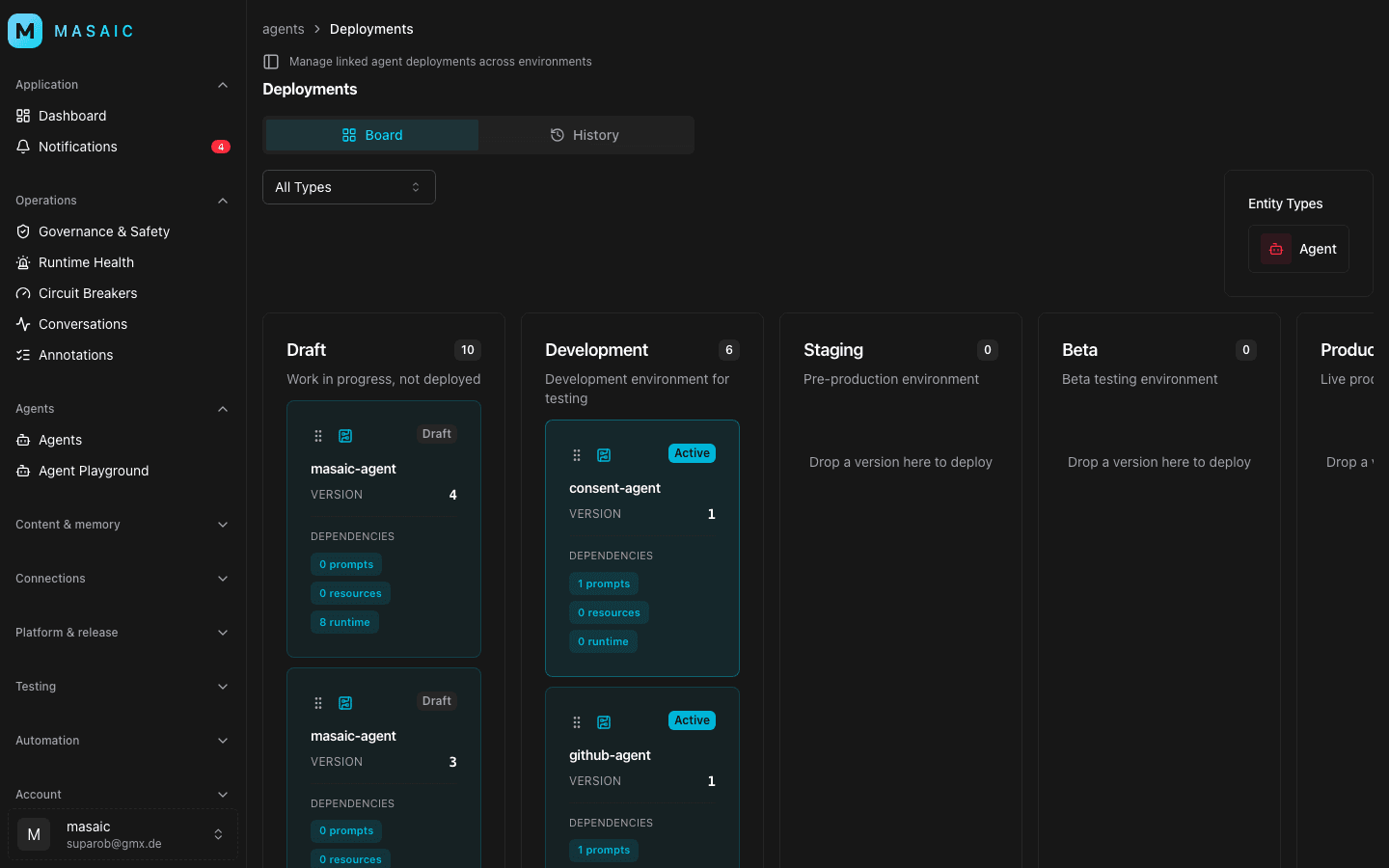
MASAIC is a multi-tenant platform for building, evaluating, and operating AI agents. Running it in production means more than shipping containers: you need durable Postgres, authenticated browser traffic, outbound access to model providers and realtime media, and a deployment pipeline that security teams can audit.
This post describes how we deployed MASAIC on AWS ECS Fargate inside a DTIT AWS Landing Zone in eu-central-1. The infrastructure is defined as code — primarily with SST (Serverless Stack) for the application plane, and Pulumi for a self-hosted Supabase proof of concept and supplemental monitoring.
Why infrastructure as code
Before diving into tools, it helps to be explicit about what we wanted from infrastructure management.
MASAIC is not a single container. It is seven cooperating services (web, agent runtime, workflows, MCP servers, LiveKit worker, and more), each with its own load balancer rules, secrets, alarms, and environment-specific wiring. Doing that by hand in the AWS console does not scale — and in a Landing Zone account, it is actively risky.
Infrastructure as code (IaC) means the desired state of cloud resources lives in version-controlled files, is applied by an engine (SST/Pulumi), and can be reviewed like application code. For us, that delivered four concrete advantages:
Reproducibility
Staging and production should run the same topology. With IaC, both stages are instances of the same program (sst.config.ts) with different inputs — VPC IDs, domain names, secret values, and stage-specific flags. We do not maintain a separate “staging architecture” in someone's head or in a wiki that drifts.
Reviewability
Every infrastructure change goes through git. sst diff and pulumi preview show what will be created, updated, or destroyed before anything touches AWS. That matters in regulated environments: platform and security teams can review ALB rules, security groups, and IAM policies in a pull request, not after a console session.
Auditability
IaC creates a clear trail: who changed what, when, and why. Combined with GitHub OIDC deploy roles (no long-lived AWS keys), the path from commit to running ECS task is traceable. Default resource tags applied by SST (buildAwsTags) keep cost, ownership, and environment visible in AWS console views.
Safer iteration
When egress rules, alarm thresholds, or FPA proxy settings need tuning, we change code and redeploy — not a sequence of console clicks that are hard to reverse. Staging can be torn down (removal: 'remove') while production is protected (protect: true, removal: 'retain'). The same program encodes both behaviors.
Click-ops is fast on day one and expensive on day ninety. IaC front-loads the work so day ninety is a git diff.
Why SST (Serverless Stack)
SST is a TypeScript framework for building full-stack applications on AWS. Under SST v4, the deployment engine is Pulumi (home: 'aws'), with S3-backed state and locking managed by SST. We did not choose SST instead of Pulumi — we chose SST as the application infrastructure layer that gives us Pulumi's correctness with a better developer experience for our monorepo.
TypeScript next to application code
Our infrastructure lives in sst.config.ts at the repo root, beside apps/web, apps/agent-runtime, and the Dockerfiles those services build from. The same language, the same PR workflow, the same reviewers. When we add a new ECS service, the infra change and the application change land together.
Components that match how we ship
SST provides high-level constructs for the resources we actually use — ECS Fargate services, load balancers, secrets, and observability hooks — without writing hundreds of lines of raw CloudFormation or low-level Pulumi for every deploy. That let us focus on Landing Zone integration (RPA ingress, FPA egress, SCP workarounds) instead of boilerplate.
Stages, secrets, and guardrails built in
SST's stage model maps cleanly to our environments:
// sst.config.ts (simplified)
export default $config({
  app(input) {
    return {
      name: 'masaic',
      removal: input?.stage === 'production' ? 'retain' : 'remove',
      protect: input?.stage === 'production',
      home: 'aws',
      providers: { aws: { region: 'eu-central-1', defaultTags: { ... } } },
    };
  },
  async run() { /* ECS services, ALBs, alarms, ... */ },
});
Runtime credentials are managed through SST secrets (sst secret set, bootstrapped from .env.production via scripts/sst-secrets-init.sh) — Supabase URLs, database connection strings, model provider keys, and identity secrets. They are encrypted at rest and injected into ECS task definitions, not baked into images or checked into git.
Deploy-time network inputs are validated explicitly. Functions like requireDeployEnv('MASAIC_AWS_VPC_ID') fail fast if a GitHub Environment variable is missing, instead of producing a half-provisioned stack.
Flexibility when defaults do not fit
A textbook SST setup might use sst.aws.Nextjs with CloudFront. Our Landing Zone service control policies block CloudFront policy creation, so we deploy web as a container on ECS behind an ALB. IaC made that swap a configuration choice, not a platform migration — the same SST program, a different service definition.
Similarly, we support two ingress modes (rpa-subnets and private-origin) controlled by environment variables, because different Landing Zone setups route public traffic differently. SST's TypeScript config expresses that branching clearly; a static template would not.
Deploy modes for faster iteration
scripts/sst-deploy.sh wraps SST with two useful modes:
| Mode | What it does |
|---|---|
all | Build Docker images and deploy everything |
infra | Deploy infrastructure only — excludes image services so ALB, alarm, and env changes ship without a full image rebuild |
services | Deploy application services |
That separation is only practical because the infrastructure is code with explicit resource boundaries, not an opaque “deploy button.”
Why Pulumi (standalone stacks)
If SST already uses Pulumi, why do we also have standalone Pulumi programs in infra/supabase-aws and infra/masaic-monitoring?
Full control for complex, experimental stacks
The self-hosted Supabase PoC is not a single ECS service. It is Postgres on EFS, Kong, GoTrue, PostgREST, Realtime, Storage, imgproxy, pg_meta, Supavisor, internal ALBs, an NLB for pooler ports, Secrets Manager entries, AWS Backup, and scheduled health checks — roughly 2,500 lines in infra/supabase-aws/src/index.ts. We started that stack as an experiment parallel to Supabase Cloud, with its own lifecycle and risk profile.
Pulumi's programmatic model (TypeScript, real loops, conditionals, shared helpers) fits that level of complexity. We could preview it independently (pulumi preview --stack staging) without touching the running MASAIC application plane.
Independent state and blast radius
The Supabase PoC uses its own Pulumi project (masaic-supabase-aws) and stack config (Pulumi.staging.yaml). A mistake during PoC iteration does not destabilize the SST-managed ECS cluster. Monitoring alarms similarly started as a thin overlay stack before we wired equivalent alarms directly in sst.config.ts.
A deliberate stepping stone, not the end state
SST runs on Pulumi; standalone Pulumi stacks are not a permanent split. Our improvement plan (infra/IMPROVEMENT-PLAN.md) targets one SST program, one state backend:
- Absorb monitoring alarms into
sst.config.tswith direct resource references - Harden self-hosted Supabase (TLS, backup restore drill)
- Import
supabase-awsresources into SST — never recreate EFS, KMS, or database volumes
Pulumi's import tooling makes that consolidation possible. We chose standalone stacks to move fast on the PoC; we chose SST for the long-lived application plane.
How IaC is used in practice
Here is what the workflow looks like day to day.
Single source of truth in the repository
| Path | Role |
|---|---|
sst.config.ts | Application runtime: ECS cluster, seven services, ALBs, secrets, KMS, alarms, dashboards |
infra/supabase-aws/ | Self-hosted Supabase PoC (Pulumi) |
infra/masaic-monitoring/ | Supplemental CloudWatch alarms (being folded into SST) |
scripts/sst-deploy.sh | Stage-aware deploy wrapper (all / infra / services) |
scripts/sst-secrets-init.sh | Bootstrap SST secrets from .env.production |
.github/workflows/deploy.yml | CI → migrations → SST deploy via OIDC |
Landing Zone network resources (VPC, subnets, security groups) are inputs from GitHub Environment variables — owned by the platform team, referenced by our code. That boundary is intentional: we code what we own; we parameterize what the Landing Zone owns.
Plan before apply
Before any deploy:
pnpm sst:diff:infra:staging          # preview infra-only changes
./scripts/supabase-aws-pulumi.sh preview --stack staging
In CI, the same program runs on every merge to main (staging) or v* tag (production). No one needs console access to ship a change.
Secrets and configuration separation
We separate three kinds of configuration:
- Structure — in git (
sst.config.ts): which services exist, how ALBs wire, which ports egress allows - Environment identity — in GitHub Environment variables: VPC IDs, RPA subnet IDs, domain names, certificate ARNs, FPA proxy URLs
- Credentials — in SST secrets / Secrets Manager: database URLs, API keys, JWT secrets
That split means a PR can add a new alarm or internal service without touching credentials, and rotating a database password does not require an infrastructure redeploy beyond secret refresh.
Migrations before containers
Schema changes are also codified — SQL migrations in apps/web/supabase/migrations. CI runs supabase db push before sst deploy, so the database schema always leads the compute rollout. IaC here is not only AWS; it is the full reproducible path from schema to running task.
The constraint: enterprise Landing Zones change the defaults
A typical “SST on AWS” tutorial assumes you can create a VPC, attach a CloudFront distribution to your Next.js app, and expose public load balancers wherever you like. In a Landing Zone account, those assumptions break quickly.
Three constraints shaped our design:
- Shared network — MASAIC attaches to an existing VPC and private subnets. We do not create a VPC in application infrastructure code; some enterprise accounts block
ec2:CreateVpcthrough service control policies. - Controlled public ingress — Browser-facing services must enter through the Reverse Proxy Area (RPAv2) with mandatory WAF, not through ad-hoc internet-facing load balancers in private ECS subnets.
- Controlled egress — Outbound traffic from private subnets must use the Forward Proxy Area (FPA) or an approved firewall allowlist. HTTP clients can use an explicit proxy; Postgres, WebRTC, and other non-HTTP destinations need separate clearance.
Those constraints are why our sst.config.ts reads more like an integration guide than a greenfield tutorial.
Architecture at a glance
With the IaC rationale above, the three-layer split is:
| Layer | Tool | Responsibility |
|---|---|---|
| Application runtime | SST v4 (sst.config.ts) | ECS Fargate services, ALBs, secrets, alarms, ECR signing |
| Data plane (PoC) | Pulumi (infra/supabase-aws) | Self-hosted Supabase on ECS with EFS-backed Postgres |
| Monitoring overlay | Pulumi (infra/masaic-monitoring) | Extra CloudWatch alarms on SST-created services (being absorbed into SST) |
SST and standalone Pulumi share the same engine family, but serve different purposes: SST optimizes the repeatable application deploy path; standalone Pulumi optimizes deep, experimental stacks with isolated state.
Primary data plane today: Supabase Cloud for Postgres, Auth, and Storage. In parallel: a staging PoC for self-hosted Supabase in the same VPC, with a path to cut MASAIC traffic over once backups and restore drills are proven.
What SST deploys
The SST application (name: masaic, stages staging and production) runs seven containerized services in one Fargate cluster:
| Service | Role | Public? |
|---|---|---|
web | Next.js app (containerized — not sst.aws.Nextjs) | Yes |
agent-runtime | Mastra agent runtime + DBOS | Yes |
workflows | DBOS workflow worker | Internal ALB |
mcp-server | Management MCP over HTTP | Internal ALB |
mcp-mock-server | Mock MCP gateway (non-production only) | Internal ALB |
masaic-agent | Workspace assistant, proxied via web | Internal ALB |
livekit-agent | Outbound worker to LiveKit Cloud | No ALB |
We deliberately deploy web as a Docker image on ECS instead of using sst.aws.Nextjs, because some Landing Zone SCPs block CloudFront policy and key-value-store creation. The trade-off is more operational ownership (ALB, health checks, container builds), but the deploy path stays inside account guardrails.
SST also provisions cross-cutting platform resources:
- Secrets Manager entries and a KMS key for runtime secrets
- SNS topic for alarm notifications
- CloudWatch operations dashboard and initial SLO alarms
- S3 buckets for ALB access logs
- AWS Signer profile for ECR image signing
- App Registry application metadata and IAM Access Analyzer (account-level)
Network IDs — VPC, subnets, security groups — are inputs, not outputs. That keeps staging and production independent and avoids fighting SCPs on VPC creation.
Landing Zone ingress: RPAv2 and two patterns
Only web and agent-runtime are browser-facing. SST supports two ingress modes:
rpa-subnets (internet-facing ALBs in shared RPA subnets)
RPAv2 shares public subnets into the application account. MASAIC creates internet-facing Application Load Balancers there, terminates TLS with ACM certificates, and relies on the Landing Zone WAF path (Firewall Manager / DTIT-WebACL-Policy-REGIONAL).
Staging public hostnames:
masaic-web.ng.telekom.netmasaic-agent-runtime.ng.telekom.net
RPAv2 can be bootstrapped via SST itself using the DTIT Service Catalog product RPA_V2, in a separate stage (staging-rpa) with MASAIC_AWS_RPA_BOOTSTRAP_ONLY=true.
private-origin (internal origin ALBs)
The Reverse Proxy Area owns the internet-facing edge. MASAIC runs internal origin ALBs in private subnets, reachable only from configured RPA source security groups or CIDR blocks. TLS and WAF enforcement happen at the RPA entry point.
This is often the preferred pattern when the platform team already operates the public edge.
In both modes, MASAIC_AWS_RPA_WAF_CONFIRMED=true is required — a deliberate guardrail so public traffic never bypasses the approved WAF path.
Landing Zone egress: where deployments actually fail
Ingress is visible; egress is where we spent the most integration time.
ECS tasks run in private subnets. The security group permits the minimum outbound ports the platform needs — Supabase pooler (5432, 6543), Supabase APIs (443), LiveKit signalling and media ports, Azure OpenAI, OTLP export, and more. But opening a port in a security group is not the same as getting traffic through the FPA/firewall path.
We learned this the hard way in staging: web and agent-runtime could be healthy while workflows and livekit-agent failed with ECONNRESET because outbound Postgres or WebSocket traffic was reset upstream. The symptom looked like an application bug; the root cause was network allowlisting.
For HTTP and HTTPS clients, SST injects FPA proxy environment variables when configured:
MASAIC_AWS_FPA_HTTP_PROXY=http://fpa-non-prod.aws.telekom.de:3128
MASAIC_AWS_FPA_HTTPS_PROXY=http://fpa-non-prod.aws.telekom.de:3128
Non-HTTP destinations still need explicit firewall tickets. Treat egress as a first-class deploy checklist item, not an afterthought.
Data plane: Supabase Cloud and the self-hosted PoC
Supabase Cloud (current production reference)
Application services connect to Supabase Cloud over the transaction pooler (DATABASE_URL). DBOS requires a session-mode URL (DBOS_SYSTEM_DATABASE_URL) — do not point DBOS at a transaction pooler.
CI runs supabase db push from apps/web before SST deploy, so schema migrations always land before new containers roll out.
Self-hosted Supabase PoC (infra/supabase-aws)
In parallel, we built a Pulumi stack that runs the full Supabase platform on ECS Fargate:
supabase/postgres:17.6.1.136(not Aurora — we want official Supabase roles, schemas, and extensions)- Kong, GoTrue, PostgREST, Realtime, Storage API, imgproxy, pg_meta, Supavisor
- Internal ALB for the HTTP API, NLB for pooler ports
- EFS-backed Postgres persistence in staging (
postgresPersistenceMode=efs) - AWS Backup, scheduled synthetic DB health checks, CloudWatch dashboards and alarms
Staging exposes the API at supabase.ng.telekom.net. The PoC is intentionally bounded: switching to EFS creates a fresh data directory, restore drills must pass before cutover, and the long-term plan is to import these resources into the SST program rather than recreate them.
Deploy commands:
export PULUMI_CONFIG_PASSPHRASE='your-team-secret'
./scripts/supabase-aws-pulumi.sh preview --stack staging
./scripts/supabase-aws-pulumi.sh up --stack staging
State currently lives in a repo-local directory (infra/supabase-aws/.pulumi-state) for the PoC; production should move to an S3 backend with locking.
Pulumi monitoring overlay
infra/masaic-monitoring adds complementary CloudWatch alarms: running task counts, log-error metric filters, and ALB target health (5xx, healthy/unhealthy hosts). It layers on top of SST’s built-in SLO alarms without replacing them.
The coupling is imperfect today — staging config references a hard-coded ECS cluster name from SST outputs. Phase 1 of our improvement plan absorbs these alarms into sst.config.ts with direct resource references, then retires the standalone stack.
CI/CD: OIDC, migrations first, staged rollouts
GitHub Actions deploys via OIDC — no long-lived AWS access keys. The workflow assumes an IAM role (masaic-github-deploy) and maps branches to stages:
main→ staging (automatic)v*tags → production- Pull requests → CI only
Deploy order in the pipeline:
- CI — typecheck, lint, tests
- Migrations —
supabase db push - SST deploy —
bash ./scripts/sst-deploy.sh <stage> all deploy
Recommended service rollout when debugging manually:
- Supabase / Postgres connectivity
agent-runtimeworkflows+weblivekit-agent
SST secrets are bootstrapped from .env.production:
STAGE=staging ./scripts/sst-secrets-init.sh
At minimum: Supabase URL and keys, DATABASE_URL, DBOS_SYSTEM_DATABASE_URL, identity master key, and model provider credentials.
Observability and initial SLOs
SST creates CloudWatch alarms from ALB metrics. Starting targets:
| Service | Availability | Latency (p95) |
|---|---|---|
web | 99.9% | ≤ 3s |
agent-runtime | 99.5% | ≤ 10s |
workflows | 99.5% | ≤ 8s |
mcp-server | 99.5% | ≤ 5s |
Availability is computed from ALB request counts minus ELB and target 5xx responses. These are pragmatic starting points — we expect to refine them with application-level OpenTelemetry metrics as traffic grows.
Lessons learned
Infrastructure as code is not optional at this scale. Seven services, two public endpoints, Landing Zone ingress and egress rules, and per-stage secrets are too many moving parts for console operations. Codifying them made staging failures reproducible and fixes reviewable.
Pick the right IaC layer for the job. SST for the application plane we deploy weekly; standalone Pulumi for the Supabase PoC we iterated aggressively; consolidation when the PoC graduates. Using Pulumi under SST is a feature, not duplication.
Design for the Landing Zone, not around it. Fighting SCPs by creating forbidden resources in application code creates fragile deploys. Passing VPC and subnet IDs as inputs and using containers instead of CloudFront-aligned Next.js hosting was the right trade-off.
Treat egress as part of the architecture. A green ALB health check does not mean your workers can reach Postgres or LiveKit. Validate every outbound dependency from inside the VPC before calling a stage “done”.
Separate structure, identity, and credentials. Git holds topology; GitHub Environments hold network IDs and domains; SST secrets hold passwords and API keys. That separation keeps PRs focused and rotations safer.
Migrations before containers. Schema drift in a multi-service agent platform is painful. Running supabase db push before sst deploy keeps the data plane ahead of the compute plane.
Getting started
If you are deploying MASAIC in a similar environment, the operational runbook lives in the repository:
docs/deploy/sst-aws-supabase.md— SST + Supabase Cloud checklist, env vars, SLOsdocs/deploy/aws-oidc-setup.md— GitHub OIDC to AWSdocs/deploy/aws-network-current-state.md— real staging network notes and failure modesdocs/deploy/supabase-aws-poc.md— self-hosted Supabase PoCsst.config.ts— application infrastructure source of truth
Minimal staging deploy:
pnpm install --frozen-lockfile
STAGE=staging ./scripts/sst-secrets-init.sh
pnpm sst:deploy:staging
For infrastructure-only changes (ALB rules, alarms, env wiring) without rebuilding every Docker image:
pnpm sst:deploy:infra:staging
What is next
We are on a path to one SST program, one state backend, one CI deploy path — not because IaC failed, but because the PoC phase proved which resources are long-lived:
- Absorb
masaic-monitoringalarms intosst.config.ts - Harden self-hosted Supabase (TLS in transit, backup restore drill, least-privilege IAM)
- Import
supabase-awsresources into SST withprotecton data-bearing resources
Landing Zone constraints do not go away. Consolidating infrastructure code means fewer hand-maintained names, fewer drift vectors, and a single sst diff before every production change.
If you are building agentic systems at scale, the interesting work is rarely “how do I run a container?” It is how you keep prompts, tools, evaluations, and releases connected — with infrastructure that is as reviewable and reproducible as the application code itself. That is the problem MASAIC, and this IaC model, are built to solve.